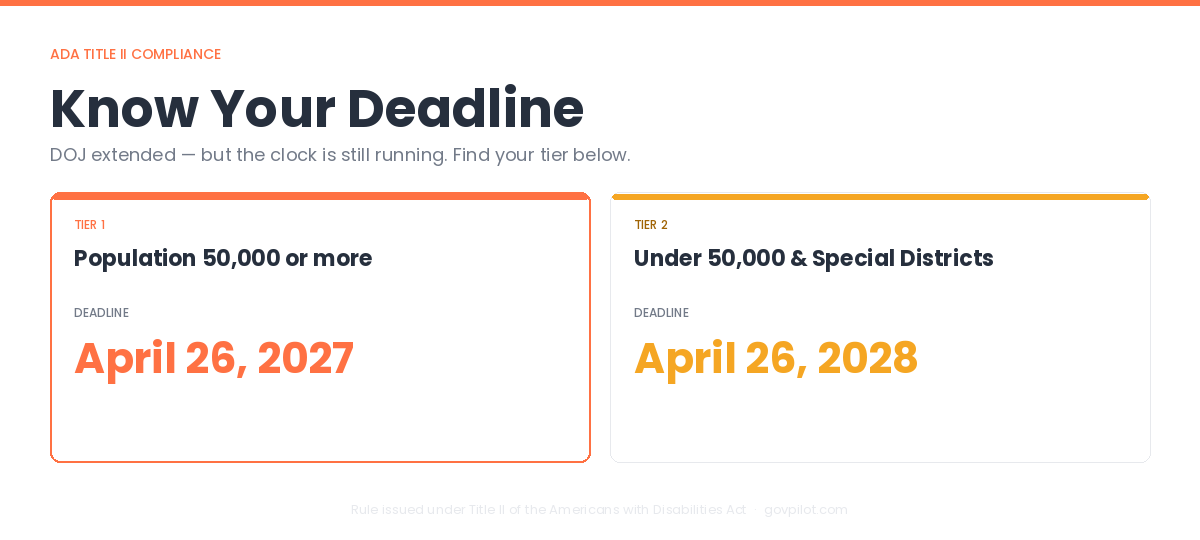
On April 20, 2026, the Department of Justice extended the compliance deadlines for its web accessibility rule, and many local government staff exhaled. But that exhale may be premature.
As things stand now:
- Governments with a population of 50,000 or more: April 26, 2027
- Governments under 50,000 and special districts: April 26, 2028
If you’re responsible for seeing this through, there is a silver lining: funding may be available for technology and accessibility improvements.
We’ve compiled what you need to navigate web accessibility confidently, including what it means to meet the requirements and where to find funding that many governments overlook.
What Accessibility Actually Looks Like
Skip the technical standards for a moment. Ask:
- Can a resident who uses a screen reader navigate your site and find the meeting agenda?
- Can someone who can’t use a mouse tab through your online permit application using only a keyboard?
- Does the text on your homepage have enough contrast for someone with low vision to read it?
If the answer to any of those is no, or if you’re not sure, your site isn’t fully accessible, regardless of how it looks in a standard desktop browser.
Web accessibility means residents who are blind, have low vision, are deaf or hard of hearing, or have motor impairments can use your government’s digital services. For many of them, an inaccessible website is a barrier to public information and services to which they are entitled.
This Is Law, Not Best Practice
The DOJ issued a final rule under Title II of the Americans with Disabilities Act requiring state and local government websites to meet federal accessibility standards.
This establishes accessibility as a formal compliance requirement rather than a best-practice recommendation.
As digital services become more essential, governments are placing greater focus on reducing risk, improving resident access, and meeting evolving expectations.
It Covers More Than the Homepage
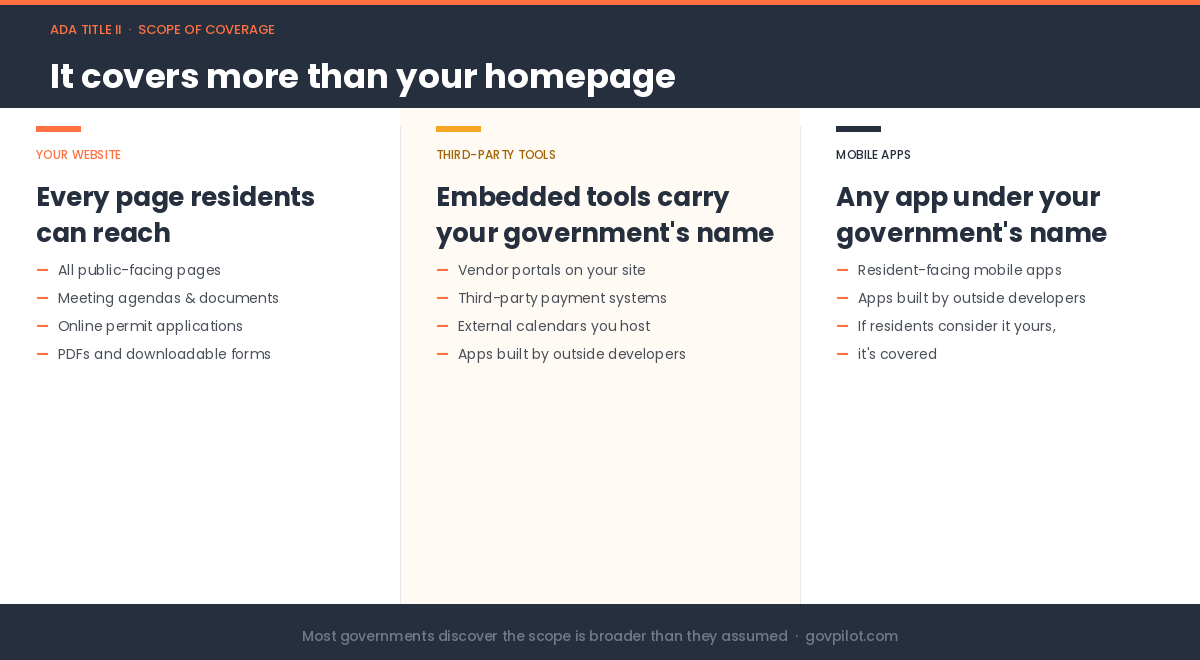
The requirement doesn’t just apply to your main website. It covers websites, mobile apps, and third-party content hosted on your behalf.
That means:
- Vendor portals embedded in your site
- Third-party calendars and payment systems
- Apps built by outside developers that carry your government’s name
Most governments discover the scope is broader than they assumed. If a resident would reasonably consider it your government’s digital service, it falls under the rule.
Funding Most Governments Never Search For
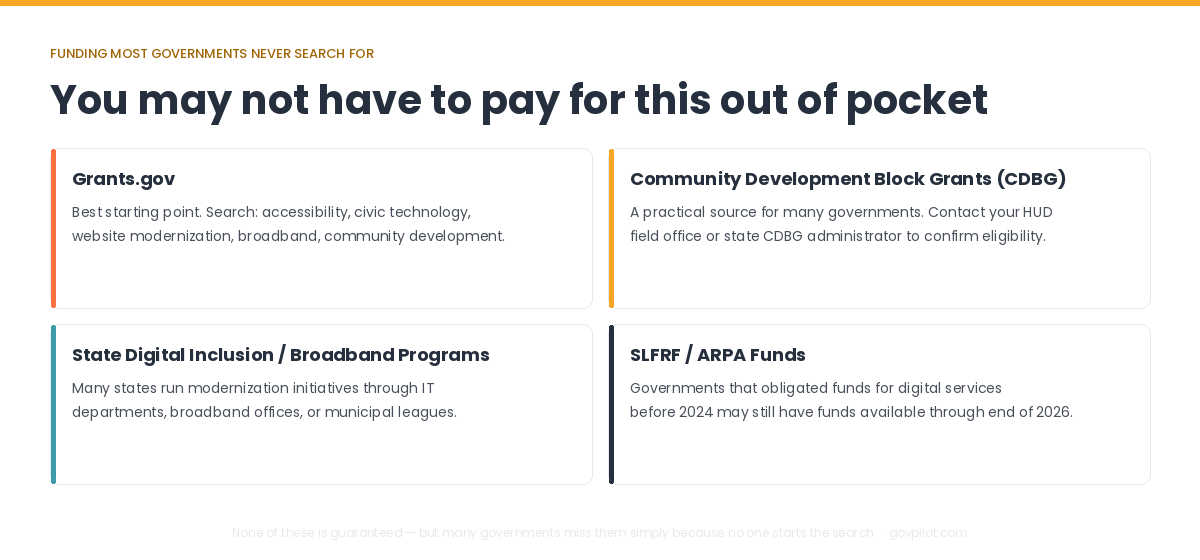
You may not have to pay for this entirely out of your operating budget. Federal and state programs support modernization and digital access, though availability varies.
Grants.gov - The best starting point for active opportunities. Search terms such as accessibility, civic technology, digital services, website modernization, broadband, or community development.
Community Development Block Grants (CDBG) - A practical source for many governments. Your HUD field office or state CDBG administrator can confirm eligibility.
State Digital Inclusion / Broadband Programs - Many states run modernization or digital inclusion initiatives through IT departments, broadband offices, or municipal leagues.
State and Local Fiscal Recovery Funds (SLFRF / ARPA) - Governments that obligated SLFRF funds for modernization or digital services before the 2024 deadline may still have funds available to spend through the end of 2026. It’s worth checking to see if it applies to you.
None of these funding sources is guaranteed. But many governments miss opportunities simply because no one starts the search.
The First Step Is Knowing Where You Stand
Even before the federal deadline changed, there was likely someone inside your community who knew the website could be better. That instinct was right, and now there’s a formal requirement to act on it.
Before you can fix anything or apply for funding, you need to understand what is not working today.
A practical first step is an accessibility audit that creates a baseline. It identifies barriers residents may face, helps leadership understand risk and priorities, supports budget conversations, and serves as the foundation for a remediation plan.
Five Practical Steps to Start Now
1. Request an accessibility audit
Start with a professional audit to identify urgent issues and create a baseline. Begin with free tools like WAVE Web Accessibility Evaluation Tool or Google Lighthouse in Chrome. For a deeper review, request a manual audit from your website provider or an accessibility specialist.
2. Review findings and prioritize fixes
Organize results into quick fixes and structural improvements. Quick fixes may include missing alt text, poor color contrast, or unclear headings. Larger improvements may include inaccessible PDFs, forms, navigation, or page templates.
3. Choose the right vendor partner
Select a vendor that can remediate issues, support staff, and provide ongoing monitoring rather than a one-time fix. Ask if they test against WCAG standards, offer document remediation, and provide reporting.
4. Build a phased action plan
Address high-priority barriers first, then improve forms, documents, navigation, and content over time. Documenting progress against a written plan makes it easier to report to leadership and demonstrate good-faith compliance efforts.
5. Create an ongoing process
Assign one internal owner to manage progress, coordinate departments, and review updates monthly. Continue scanning new content, training staff, and regularly checking resident-facing pages. Tools like Siteimprove, Monsido, or AudioEye can help monitor compliance.
The goal is to build a website that stays accessible as your community grows and changes.
Need Help Understanding Where You Stand? Not sure if your government’s website meets the standard? GovSites works with local governments to assess and remediate web accessibility. We can partner with you to better understand where your site stands. Talk to a GovSites specialist.
%E2%80%9D-6.png)