
Modern Health Department. Modern Local Government.
A free guide for municipal and county health officials. It shows how a health department moves licenses, inspections and complaints online, so inspectors spend more time in the field.
Free to read on this page. There is no form to fill in and nothing to download.
- 6 chapters
- 2026 edition
- About 5 minutes to read
GovPilot runs health licenses, inspections and animal services on one shared property record. See Environmental Health Software
Request a Demo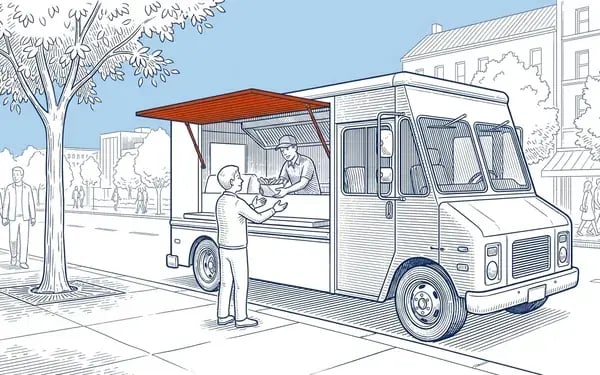
What does the guide cover?
Six chapters: the health department's workload, licenses and permits online, better inspections, animal services, resident concerns and health data, and how to get started.
A local health department licenses food businesses, inspects restaurants, pools and camps, licenses pets, answers resident complaints and keeps the records that prove all of it was done. Much of that work still runs on paper applications, clipboards and spreadsheets. This guide shows how health departments move that work online, so inspectors spend more time in the field and less time on paperwork.
6 chapters. Open one to read it.
Pick Up at Chapter 1Chapter 1The Health Department's Workload
Health officials are responsible for a long list of services. A typical local health department handles:
- Business licenses and permits: retail food establishments, mobile and temporary food vendors, vending machines, outdoor cafés, BYOB permits, massage businesses, kennels and pet shops, child care and day camps, and swimming pools.
- Inspections: food establishments, pools, camps and other licensed facilities, on a schedule set by state and local code.
- Animal services: dog and cat licenses, canvassing for unlicensed pets, and impound and intake records.
- Environmental health: mosquito control surveillance, air programs and complaints.
- Resident concerns: reports of unsanitary conditions, pests or other health risks.
Where paper slows it down
- Applications arrive incomplete, so staff call the applicant back.
- Inspectors fill in paper forms in the field and retype them at the office.
- Renewal dates and inspection schedules live in spreadsheets or on a wall calendar.
- Records sit in filing cabinets, so it is hard to see a business's history before an inspection.
- Fees come in by check at the counter.
Each of these is a place where software can save hours every week.
Chapter 2Licenses and Permits Online
Most of a health department's paperwork starts with an application. Moving applications online is usually the fastest win.
Applications on your website
Businesses and residents apply and renew online, at any hour, from any device. Required fields mean an application cannot be sent until it is complete. GovPilot has ready-made health modules for food establishment licenses, mobile and temporary food vendors, vending machines, outdoor cafés, BYOB permits, child care and day camp licenses, kennel and pet shop licenses, massage businesses, pools and more. Each can be set up to match state and local rules.
Fees calculated and paid online
Fees calculate themselves from the department's fee schedule, and applicants pay online when they apply. Every payment and receipt is tied to the license it paid for. Fines can be collected the same way.
Renewals that do not slip
The system knows when each license expires. It reminds the business before the deadline and shows staff which licenses are overdue.
From application to license
Once an application is submitted, an automated workflow sends it for review, calculates the fee and schedules the inspection. When the inspection passes, the license or certificate is issued digitally. The business gets status updates by email at every step, so it does not need to call.
Chapter 3Better Inspections
Inspections protect residents from foodborne illness and unsafe facilities. They are also the most time-consuming part of a health department's work.
Digital inspection forms
Inspectors complete inspections on a phone or tablet with a digital checklist built for each facility type, from retail food to pools. They add date-stamped photos and notes, cite violations, and reference the code right in the inspection.
Results on the property record
Each inspection is saved to the property record as soon as it is complete. Before an inspection, the inspector can see the business's past results, open violations and license status. Other departments, such as code enforcement or the construction office, see the same record.
Scheduling that runs itself
When a new business applies for a license, or a recurring inspection comes due, the system creates the inspection and tells the inspector. Each inspector can start the day with assignments in driving order. Businesses can also request inspections online.
Clear follow-up
When an inspection finds violations, the owner is notified and a re-inspection is scheduled. Notices, certificates and licenses can all be issued digitally.
Reports in a click
Every inspection goes into a searchable database. Staff can see which facility types fail most often, which violations are most common, and whether inspections are on schedule.
Chapter 4Animal Services
Pet licensing is often the service residents use most, and it is easy to move online.
- Dog and cat licenses. Owners apply and renew online and upload proof of rabies vaccination. Automatic reminders go out before each renewal.
- Canvassing. Canvassers record visits in the field, and the results show which households still need a license.
- Impound and intake. Staff record each animal that comes in, with photos, so owners can be matched and records are complete.
- Dog park passes. Residents buy passes online, tied to the pet's license.
Towns that move pet licensing online often see fewer incomplete forms and more renewals.
Chapter 5Resident Concerns and Health Data
Report a concern
Residents report health concerns online or with the GovAlert app on their phone. Each report is pinned on the map and sent to the right person. The resident gets updates until it is resolved, so staff spend less time on status calls.
Records you can find
Every license, inspection, complaint and payment is stored in the cloud and tied to its property. Staff can open the full history of a property from a search or from the GIS map. Records requests are faster because the documents are already digital.
Dashboards for decisions
With every record in one place, a health director can answer questions like these without a spreadsheet:
- Which applications are filed most often?
- Where does the department's fee revenue come from?
- Why do businesses fail inspections, and where?
- How long does each service take from application to license?
- Are inspections on schedule?
Security
Health records must be protected. GovPilot is SOC 2 Type 2 certified. Data is encrypted in transit and at rest, access is controlled by role, and the platform is hosted in Microsoft Azure with frequent backups and remote disaster recovery.
Chapter 6Getting Started
Plan the move
- Start with the busiest services. Food establishment licenses, inspections and pet licenses usually save the most time first.
- Talk to inspectors early. Show them how the field app removes retyping. They will be your best advocates.
- Organize your records. GovPilot imports data from your current systems and spreadsheets.
- Tell businesses and residents. Let them know when they can apply and pay online.
Pay for it
Online fees arrive faster and more completely, and fewer staff hours go to paperwork. State public health infrastructure grants may also help. Check what your state offers this year. For a step-by-step budget case, read Paying for Digital Transformation After ARPA.
Who is the guide for?
It is written for municipal and county health officials, and for the teams who handle this work every day.
Your next stop
- You have the guide
Free to read on this page. Share the link with your team.
- Get the next guide by email
New guides for local government, sent when they come out.
Sign Up for New Guides - Talk to a health specialist
A 15-minute consultation about your department. A tailored demo follows.
Request a Demo - Come back to it later
Send yourself this page, so your next step is one tap away.
- Food, pool, camp and other licenses
- Digital inspections in the field
- Pet licensing and canvassing
- Resident concerns and complaints
- Health data and dashboards
- Planning and paying for the move
GovPilot by the numbers
- 600+
- cities and counties
- 1,400+
- government departments
- 97%
- customer satisfaction
- 75%
- came from another solution
Towns on GovPilot include Atlantic City, Jersey City and Trenton in New Jersey and Columbine Valley in Colorado.
Get new guides by email
This is optional. The guide above is yours to read either way. We email you when GovPilot publishes a new guide for local government.

Read it, then see it running
The guide shows how a health department moves licenses and inspections online. GovPilot is where that work runs.